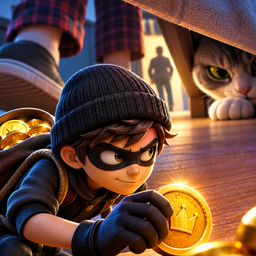
 Tiny World Thief
Support & FAQ
Need help? Find your answer below or email us.
Is Tiny World Thief free?
Yes. Tiny World Thief is free to play. It has optional rewarded ads (you choose to watch them) and optional in-app purchases. You can play the whole game without paying.
Do I need the internet?
No. You can play offline. The internet is only used for optional ads, purchases, Google Play Games and the check for a new version.
How do I move and look around?
Touch and drag on the left side of the screen to move (push the stick all the way to sprint). Drag on the right side to turn the camera. The big orange button does what fits: TAKE, CLIMB, HIDE, HOOK UP or ESCAPE.
Why did they notice me?
The human and the cat see you better in the light, when you move and when you are close. Noise gives you away too: sprinting on the wooden floor, landing from high up and knocking things over. Watch the eye icons: ? means curious, ?! means searching, ! means chasing. The light meter (bottom left) shows how easy you are to see.
Where can I hide?
Under the bed, under the dresser, under the nightstands, behind the curtains, the laundry basket and the plant, behind the monitor and between the books. Use Quick Look (the magnifier button) to see every hiding place, rope, hook and exit for a few seconds.
What do the gadgets do?
Pebble Decoy: makes a noise where the camera looks, so they look away from you. Thread Hook: zips you up to a brass hook (desk, top shelf, dresser, nightstand). Crumb Trail: the cat comes to eat and forgets you. Soft-Step Pads: 15 seconds of almost silent feet.
How do stars work?
1 star for finishing the job, 1 for the bonus goal (for example 'never sprint') and 1 for carrying home enough loot.
Is there a last job?
No. After the 8 hand-made jobs, Night Jobs never end. They slowly get harder and every 5th one hides a keepsake for your Treasure Journal.
Where is my progress saved?
On your phone, and in your Google account if you sign in to Google Play Games (Settings → Google Play Games → Sign in). Things you bought with real money can always be restored with Store → Restore purchases.
A purchase did not arrive. What do I do?
Open the Store and tap Restore purchases. If it still does not arrive, email us with the Google Play order number (it starts with GPA.).
The game feels slow on my phone.
Open Settings and set Graphics to LOW. This turns off shadows and smoothing.
How do I change my ad privacy choices?
Settings → Ad Privacy (shown to players in Europe, the UK and Switzerland).
Contact us
Email: hbhammaddyar0@gmail.com
Please tell us your phone model and the game version (Settings, at the bottom).